06. Update Broadcast Receiver
KOTLIN PART2 L4 A06 Update Broadcast Receiver
Your geofences are being added! However, try to navigate to the Golden Gate Bridge (the correct location for the default first clue). Nothing happens, why?
You will need to create a Broadcast Receiver to receive the details about the geofence transition events. Specifically, you want to know when the user has entered the geofence.
Android apps can send or receive broadcast messages from the Android system and other apps using Broadcast Receivers. These work in the publish-subscribe design pattern where broadcasts are sent out and apps can register to receive specific broadcasts. When the desired broadcasts are sent out, the apps are notified.
- In
GeofenceBroadcastReceiver.kt, find theonReceive()function and copy this code into the class, we will go over the components in the next few steps.
override fun onReceive(context: Context, intent: Intent) {
   if (intent.action == ACTION_GEOFENCE_EVENT) {
       val geofencingEvent = GeofencingEvent.fromIntent(intent)

       if (geofencingEvent.hasError()) {
           val errorMessage = errorMessage(context, geofencingEvent.errorCode)
           Log.e(TAG, errorMessage)
           return
       }

       if (geofencingEvent.geofenceTransition == Geofence.GEOFENCE_TRANSITION_ENTER) {
           Log.v(TAG, context.getString(R.string.geofence_entered))
           val fenceId = when {
               geofencingEvent.triggeringGeofences.isNotEmpty() ->
                   geofencingEvent.triggeringGeofences[0].requestId
               else -> {
                   Log.e(TAG, "No Geofence Trigger Found! Abort mission!")
                   return
               }
           }
           val foundIndex = GeofencingConstants.LANDMARK_DATA.indexOfFirst {
               it.id == fenceId
           }
           if ( -1 == foundIndex ) {
               Log.e(TAG, "Unknown Geofence: Abort Mission")
               return
           }
           val notificationManager = ContextCompat.getSystemService(
               context,
               NotificationManager::class.java
           ) as NotificationManager

           notificationManager.sendGeofenceEnteredNotification(
               context, foundIndex
           )
       }
   }
}- A Broadcast Receiver can receive many types of actions, but in our case we only care about when the geofence is entered. Check that the intent’s action is of type
ACTION_GEOFENCE_EVENT.
if (intent.action == ACTION_GEOFENCE_EVENT) {
}- Create a variable called
geofencingEventand initialize it toGeofencingEventwith the intent passed in to theonReceive()method.
val geofencingEvent = GeofencingEvent.fromIntent(intent)- In the case that there is an error, you will want to understand what went wrong. Save a variable with the error message obtained through the geofences error code. Log that message and return out of the method.
if (geofencingEvent.hasError()) {
   val errorMessage = errorMessage(context, geofencingEvent.errorCode)
   Log.e(TAG, errorMessage)
   return
}- Check if the
geofenceTransitiontype isENTER.
if (geofencingEvent.geofenceTransition == Geofence.GEOFENCE_TRANSITION_ENTER) {}- If the
triggeringGeofencesarray is not empty, set thefenceIDto the first geofence’srequestId. We would only have one geofence active at a time, so if the array is non-empty then there would only be one for us to interact with. If the array is empty, log a message andreturn.
val fenceId = when {
   geofencingEvent.triggeringGeofences.isNotEmpty() ->
       geofencingEvent.triggeringGeofences[0].requestId
   else -> {
       Log.e(TAG, "No Geofence Trigger Found! Abort mission!")
       return
   }
}- Check that the geofence is consistent with the constants listed in
GeofenceUtil.kt. If not, print a log andreturn.
val foundIndex = GeofencingConstants.LANDMARK_DATA.indexOfFirst {
   it.id == fenceId
}

if ( -1 == foundIndex ) {
   Log.e(TAG, "Unknown Geofence: Abort Mission")
   return
}- If your code has gotten this far, the user has found a valid geofence. Send a notification telling them the good news!
val notificationManager = ContextCompat.getSystemService(
   context,
   NotificationManager::class.java
) as NotificationManager

notificationManager.sendGeofenceEnteredNotification(
   context, foundIndex
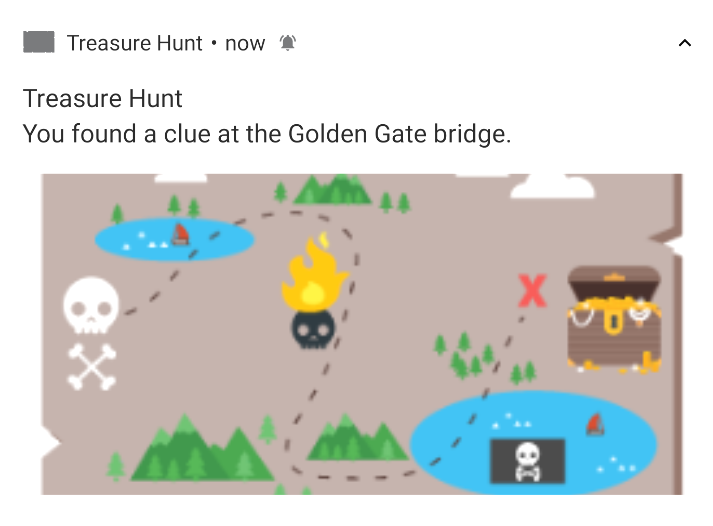
)- Try it yourself by walking into a geofence. When you enter, a notification should pop up.
Note: If you are running an emulator, the device signals that make geofencing possible will not work. Use an app like Google Maps that gets location signals to navigate to the clue location and this will work.